Log In   |  Register Free Newsletter Subscription
Skip navigation
Zibb
Subscribe to Design News
RSS
Reprints/License
Print
Email

Freescale Semiconductor Demonstration Board Review

MCU Kits Motor On: Expanded Review of Freescale Semiconductor

Jon Titus, Contributing Editor -- Design News, October 22, 2006

Freescale Semiconductor

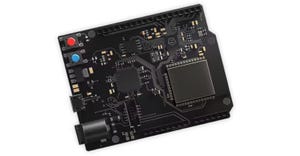
DEMO9S08QG8 demonstration board for 8-bit microcontrollers ($50). Freescale Semiconductor

The demo-board package included:

  • Demonstration board

  • USB Cable

  • CD-ROM from Axiom Manufacturing

  • CodeWarrior Development Tool CD-ROMs (3)

Freescale supplied a standard DEMO09S08QG8 package that comes with a small demonstration board with a MC9S08QG8 microcontroller (MCU) housed in a 16-pin dual-inline package (DIP). This chip belongs to Freescale's popular line of HC(S)08 8-bit MCUs.Because the chip plugs into a socket, you can use this board to program devices and then plug them into a separate prototype system of your own design. A female connector provides access to the chip's 14 I/O signals-six bits on Port A and eight bits on Part B. Peripherals include a 10-bit analog-to-digital converter (ADC), an analog comparator, several types of serial-communication devices, timers, and pulse-width modulators. The 14-pin restriction means some devices share I/O pins, so you cannot use them all simultaneously. The chip's memory gives you 8 kbytes of Flash memory and 512 bytes of RAM.

The demonstration package comes with CodeWarrior development software, a CD-ROM with documentation, a USB cable, and a 16-page booklet. I wanted to start quickly, so I browsed through this booklet, which referred me to a “Quick Start Guide” that comes on the CD-ROM. But, because this disk lacks an index of any kind, users must hunt for the proper file. At least the booklet provides file name so you can search for files you need.

The Quick Start Guide, which I printed, provided information about proper jumper settings on the board and it listed a one-sentence instruction about how to load the CodeWarrior development software. This software includes three CD-ROMs, one for the HC(S)08 family of MCUs, one for the HC(S)12 family, and a Service Pack CD.

The CodeWarrior tools for the HC(S)08 devices loaded properly and the loader program asked me if it should check for and download updates and patches. I agreed it should. (One of the downloads encountered an error, but a second attempt at a download took place error free.) No information indicated these downloaded programs superseded the Service Pack CD, so I put that CD in my PC to see what would happen. In short, nothing did: No autoload or autostart program popped up. Attempts to start a loader failed and an error message told me the disk was missing an HTML file.My support contact at Freescale said the downloaded files should have the latest information, so I put the Service Pack CD back in its package.

At this point, the instructions told me to connect the USB cable to my PC and then to the demo board. The computer detected the board and the simple demo program, loaded into the MCU's Flash memory by Freescale, turned one LED on or off and let me toggle another LED by pushing a switch. So, I knew the board worked.

The next step described the steps needed to open a C-language project-DEMO9S08QG8_APP-and compile and download the resulting code to the board. Unfortunately, the demonstration required a separate serial-port connection between the board and a host PC that can run a communication program such as HyperTerminal. My laptop computer lacks a serial port, so I decided against loading this software. Also, although this program would “demonstrate” various operations of the MCU, their descriptions left me wondering why someone would want to run them at all:


STOP test

The “STOP test” options allow the user to configure the MCU for either stop1, stop2, or stop3 mode and then enter stop mode. As mentioned [earlier] in the “RTI setup,” if the RTI is on and the MCU enters stop2 or stop3 (the RTI does not run in stop1 mode), then the RTI will wake the MCU from stop when it times out.


Usually, a known-good program, such as the LED flasher, provides a starting place for experiments that help me learn more about how I/O ports and internal devices, such as timers and interrupts work.It's easier to build on something that already works than to create a program from scratch.

First, I located the schematic for the demo board and printed it. The entire drawing fits on one sheet of paper-in tiny print that I needed a magnifier to read. Even magnifying schematic sections and using the “Print current” choice in Adobe's reader yielded a drawing with thin lines and thin type. You may need to transcribe I/O port assignments to your own pin-out diagram.

RSS
Reprints/License
Print
Email
Talkback
Reed Business Information Resource Center

Featured Company


Most Recent Resources

Advertisement

Sponsored Content

Technology Marketplace

More Content
  • Blogs

Sorry, no blogs are active for this topic.

VIEW ALL BLOGS RSS

MechatronicsZone Promo
Advertisement
Texas Instruments Video Exclusives
eNewsletters
Gadget Freak
Sherlock Ohms
Made by Monkeys
Design Tools
Electronics/Test
Sensors/LED
Mechatronics
Motion Control & Fluid Power
Materials & Fastening
Special Technology Reports
International Engineering


Please read our Privacy Policy

About Design News   |   Advertise with Design News   |   Site Map   |   Contact Us   |   Subscription   |   Affiliate Links   |   RSS
© 2010 Reed Business Information , a division of Reed Elsevier Inc. All rights reserved.
Use of this Web site is subject to its Terms of Use |  Privacy Policy
Please visit these other Reed Business sites